
 Peplink Gold Partner
What sets the Dome apart from a normal 5G router
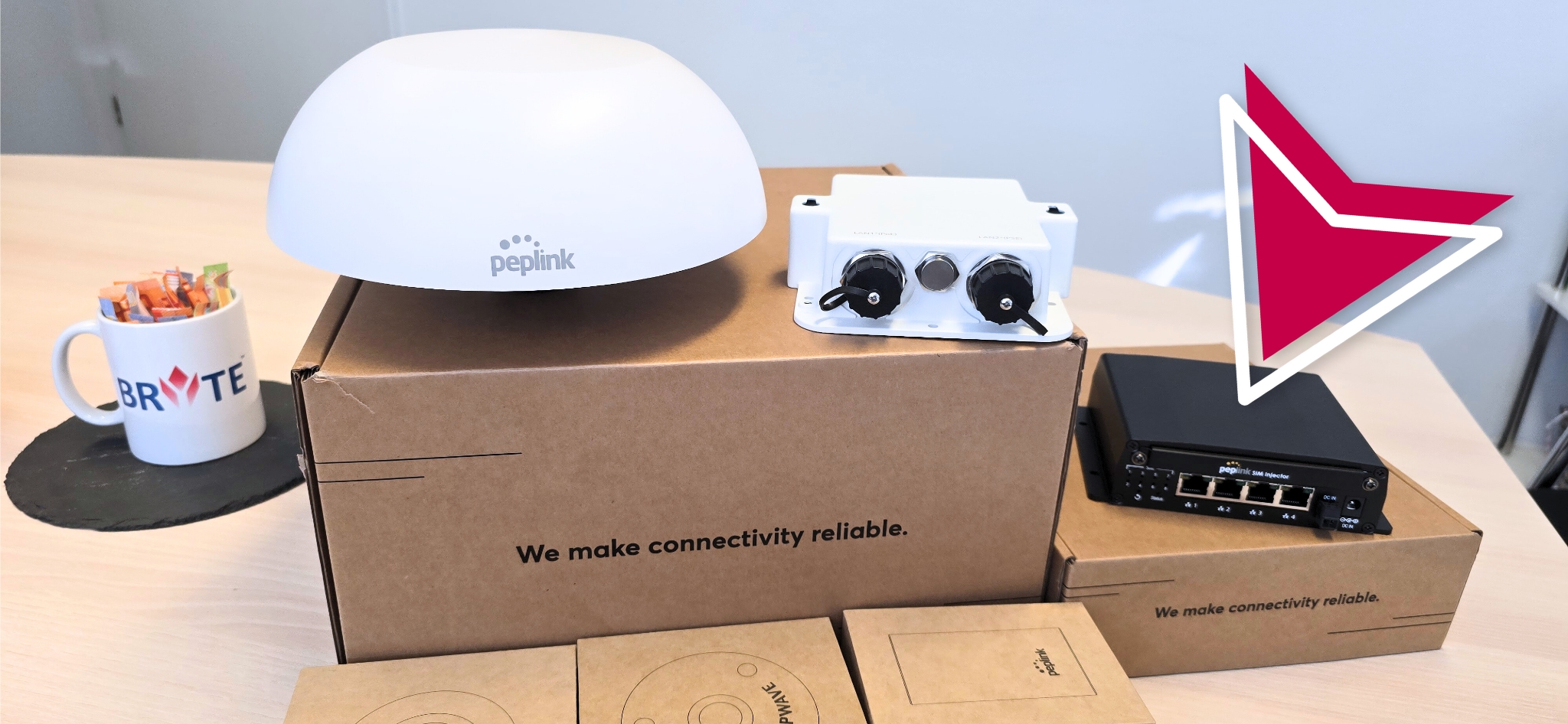
In a classic installation the router sits in the equipment room and the antennas on the mast, with metres of coaxial cable in between, and every metre costs signal. The Peplink MAX Dome turns this around: the modem sits directly beneath the antennas, and only one Ethernet cable with PoE runs down. No cable loss, no connectors in the rain, one penetration.
The SIM cards do not have to go into the dome. With the Peplink SIM Injector up to eight cards stay dry in the cabinet, up to 100 metres away, handed to the dome via RemoteSIM. Swap cards without climbing the mast.
- 5G modem, 4×4 MIMO antennas and GPS in one IP67 housing
- One Ethernet cable for data and power (PoE 802.3at)
- SIM Injector: 8 SIM slots below deck, up to 100 m away
- SpeedFusion hot failover and bonding with additional links

Peplink MAX HD1 Dome Pro 5G: technical data
Peplink datasheet (ref. 2509-v15) and tech specs, September 2026. Data rates are theoretical maximums.
| Modem | 1× 5G/LTE (Sub-6 GHz, SA and NSA), 5G up to 3.4 Gbps down / 900 Mbps up |
|---|---|
| SIM | 2 Nano-SIM (4FF) slots, Peplink eSIM, BYO eSIM (2 profiles), RemoteSIM via SIM Injector, FusionSIM |
| Antennas | 4×4 MIMO cellular, 2×2 MIMO Wi-Fi, GPS – all internal |
| Wi-Fi | Wi-Fi 6, dual-band 2.4/5 GHz, 2×2 MIMO, as WAN and/or access point |
| LAN | 1× Gigabit Ethernet; 2 ports with the Ethernet splitter (1× PoE+ in, 1× PoE out 802.3af) |
| SpeedFusion | 3 VPN peers included, 10 or 20 by licence; VPN throughput 400 Mbps (200 Mbps with AES-256) |
| Power | 802.3at PoE+, max. 20 W without PoE output |
| Protection | IP67 (with Ethernet splitter), metal enclosure |
| Temperature | -40 to +65 °C, 15–95 % humidity (non-condensing) |
| Size and weight | 110 mm (radius) × 115 mm (height); 1.2 kg, 1.7 kg with splitter |
| Certifications | CE, FCC, RoHS, EN 50124-1, EN 50155, EN 61000 |
| In the box | Dome, Ethernet splitter, 2× waterproof connectors, mounting kit (M35); 1-year warranty |
The Dome family compared
The MAX HD1 Dome Pro 5G is the current model: one 5G modem, Wi-Fi 6, up to 20 SpeedFusion peers. It replaces the first-generation MAX HD1 Dome 5G (no Wi-Fi, two PepVPN peers). The MAX HD2 Dome with two LTE modems and four SIM slots is now a Peplink legacy model; we keep supporting it in existing fleets but recommend the HD1 Dome Pro for new installations, two units in parallel where needed.
The SIM Injector (SIM-BK8-4E-56V) has eight SIM slots, four Gigabit ports with up to four 30 W PoE+ outputs and runs on 12–56 V DC, so it powers the dome too. Peplink sells both as a bundle.
Where the Dome makes sense
Wherever antennas must be outside and the router not.

Vessels and workboats
Mounted on the monkey island or mast, the dome delivers coastal 5G for crew, bridge and remote maintenance. With M2SEA SIMs it roams in over 50 countries.

Offshore and energy
Service vessels, platforms and coastal substations get a low-maintenance cellular link built for salt water and storms.

Construction sites and cameras
On a container or crane, the dome connects site cameras, time recording and site management before any fixed line arrives. Also for rent.

Ports and quays
Terminals, locks and berths without fibre get a clean 5G link with PoE for a camera or access point on the same mast.
How DRYNET installs a Dome on board
Pre-configured in Kiel, mounted at the pier or in the yard. The aim is installation within one lay day; we confirm the effort in the network design beforehand.
Site survey and network design
We check mounting position, shadowing by superstructure, distance to radar and VSAT, and the cable route, then define SIM strategy and SpeedFusion profile.
Mounting and cabling
Dome on a deck penetration or mast tube, waterproof connectors, surge protection, PoE from the SIM Injector or equipment room. Everything documented.
Configuration
VLANs for crew and operations, firewall rules, bonding with Starlink or VSAT, onboarding into InControl2. Existing onboard networks are integrated, not rebuilt.
Acceptance and operation
Test report, crew handover and, on request, 24/7 monitoring and alerting.
Rent the Dome instead of buying
For yard periods, construction projects, charter seasons or events we rent out the Peplink Dome including a suitable data plan: a pre-configured unit with SIM Injector and accessories, installation by our technicians on request. Terms as needed, conditions on request.
Packages and the request form are on Peplink Dome rental.
Frequently asked questions about the Peplink Dome
How many SIM cards fit in a Peplink Dome?
Two Nano-SIMs in the dome itself, plus eight more in the SIM Injector below deck. The HD1 Dome Pro also supports Peplink eSIM and two bring-your-own eSIM profiles.
Does the Dome work with M2SEA SIMs?
Yes. DRYNET's maritime M2SEA SIM is our first choice for dome installations. It roams in over 50 countries, and we manage data volume and plans with the device.
How many domes does a vessel need?
One HD1 Dome Pro is enough for most coastal vessels and ferries. For two carriers at once or more bonded bandwidth, install two domes and let an indoor Balance router handle SpeedFusion bonding.
Can the Dome replace Starlink?
No, it complements it. The dome provides cellular near the coast and in port, Starlink the link at sea. SpeedFusion combines both; if one drops, the session carries on.
Can the Dome be used for construction-site cameras in line with GDPR?
The dome only provides the connection. The surveillance itself falls under Section 4 of the German Federal Data Protection Act (BDSG) together with the GDPR: legitimate interest, clearly visible signage naming controller and contact, coverage limited to the site without public paths or neighbouring property, and defined retention periods, usually a few days. We configure network and remote access so recordings travel encrypted and only authorised people can view them. The legal assessment stays with the operator.
What about maintenance and firmware?
Firmware updates are rolled out via InControl2 without anyone going on board. Mechanically the dome is maintenance-free; during vessel visits we check seals, connectors and mount. InControl2 requires an active care plan, which we track for you.
What does a Peplink Dome cost?
Purchase and rental prices are on request, because licence term, SIM Injector, mounting material and installation determine the figure. Single units are also in our B2B shop FunkRitter.
Request a Dome: buy or rent
Prefer to talk? +49 431 55607040
Related pages
Peplink Dome from the Gold Partner
A Dome for your vessel or site
Tell us operating area or location and user numbers. We propose configuration, SIM strategy and an installation date.