
 Peplink Gold Partner
SpeedFusion in one paragraph
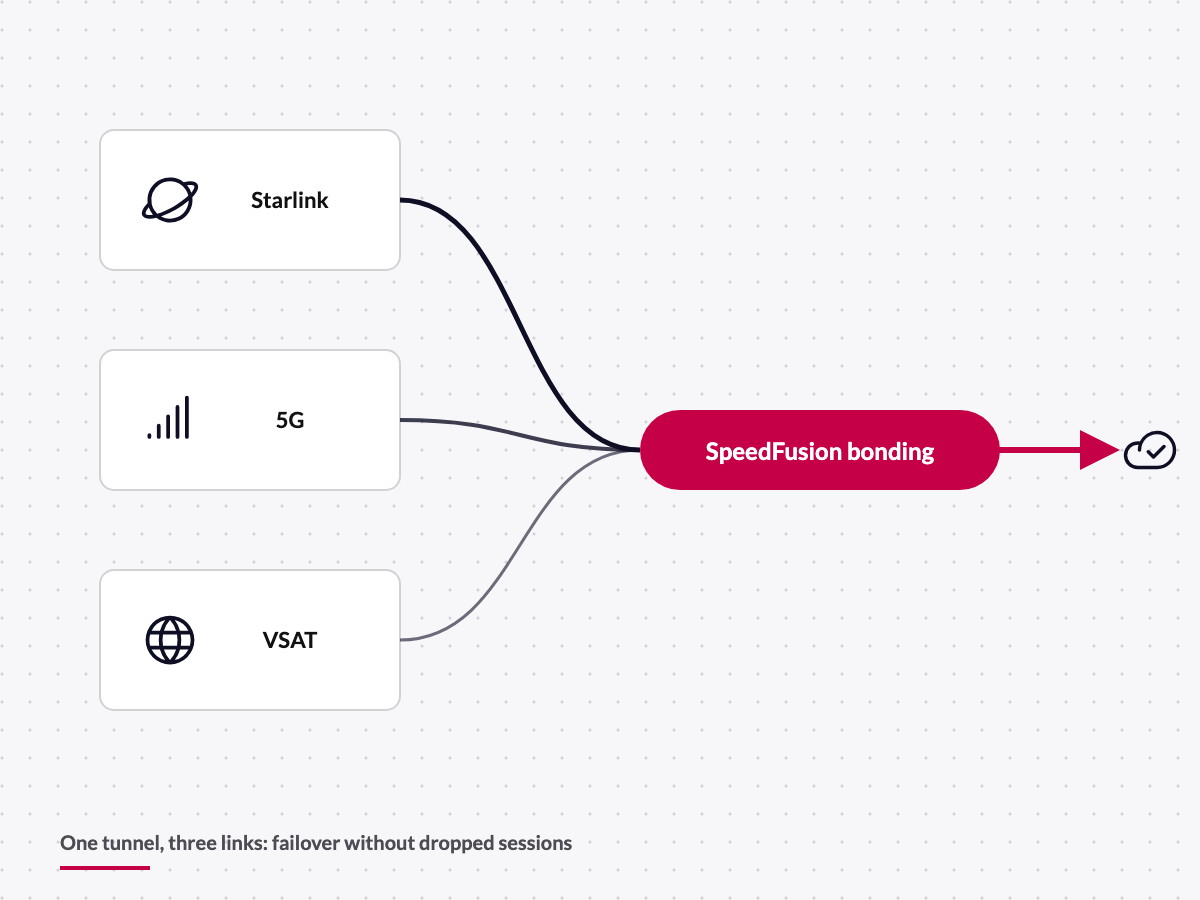
SpeedFusion is Peplink's VPN technology that combines several WAN connections into one tunnel. The tunnel runs from the router on the vessel, in the vehicle or at the site to an endpoint: a Balance router, a FusionHub or Peplink's cloud service SpeedFusion Connect. Inside the tunnel SpeedFusion decides packet by packet which link carries what, encrypted with AES-256.
The result: if Starlink drops, the video call does not notice. If a 5G cell is congested, the second link compensates. And because the tunnel has a fixed endpoint, the vessel gets a fixed IP address regardless of which network it is currently using.
- One tunnel over any number of WAN links: 5G, Starlink, VSAT, fixed line
- Packet-level distribution, AES-256 encryption
- Endpoint: Balance, FusionHub or SpeedFusion Connect
- Fixed IP and central firewall for mobile endpoints
The three SpeedFusion modes
Per tunnel and per application we pick the mode that fits the traffic. Often all three run side by side.

Hot Failover
Traffic moves instantly to healthy links as soon as one weakens. Active sessions – VoIP, VPN, remote maintenance – stay up instead of being re-established.

Bandwidth Bonding
All links are aggregated into one channel. A single download or upload uses the combined bandwidth, for backups, video material or software rollouts.

WAN Smoothing
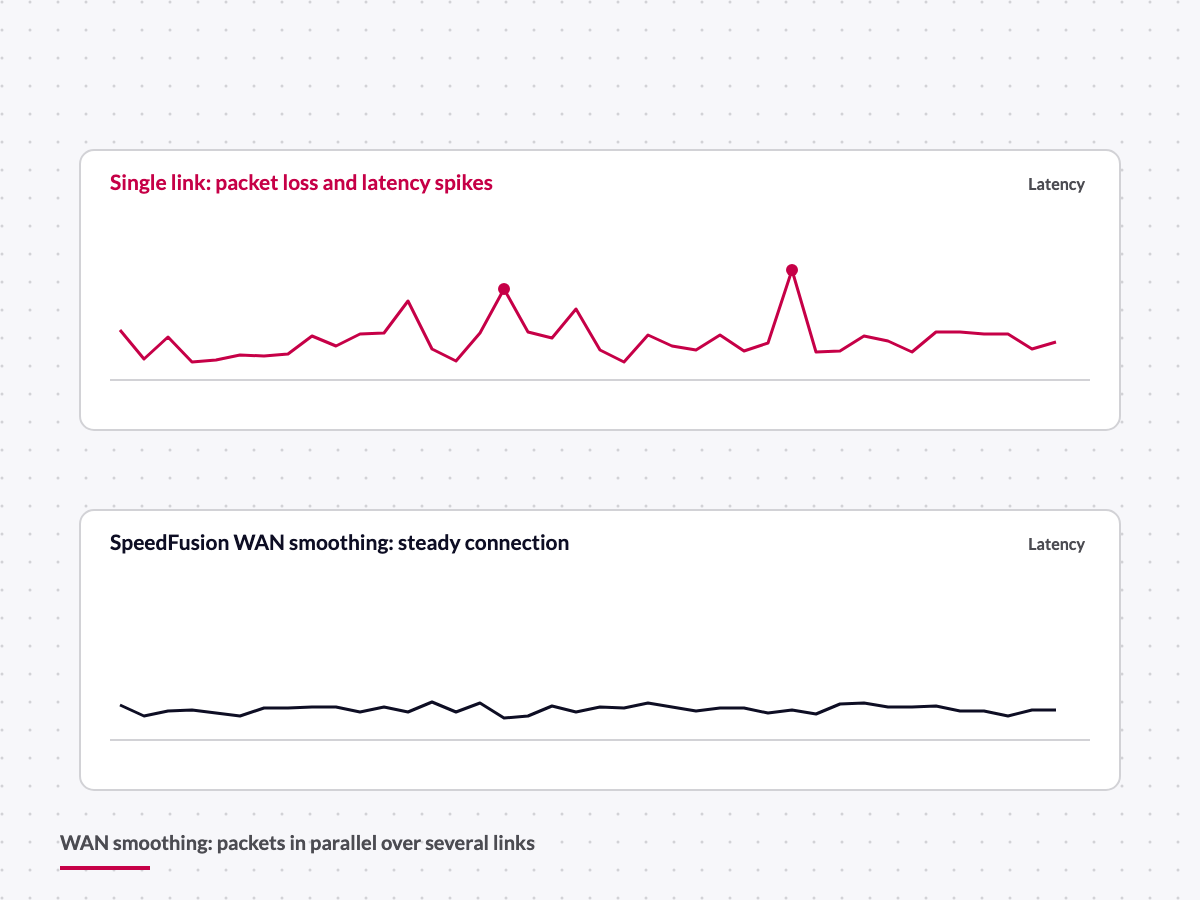
Packets are sent redundantly over several links. It costs bandwidth but cuts latency spikes and packet loss – ideal for live streams, telephony and control systems.
Where the tunnel ends: endpoints compared
Values from Peplink product pages and the FusionHub datasheet, September 2026.
| Balance router | Physical endpoint in the office or data centre; peer count per model, e.g. B One 2–20, Balance 310X up to 50, Balance 580X up to 100 peers; fixed IP and own firewall |
|---|---|
| FusionHub | Virtual SpeedFusion appliance for VMware, Citrix XenServer, VirtualBox, Hyper-V and public clouds (AWS, Azure, Google Cloud); licences Solo (free, 1 peer), Essential (5), Pro (20), 100 to 4,000 peers; managed centrally in InControl2 |
| SpeedFusion Connect | Peplink's hosted network of SpeedFusion nodes worldwide; no own server needed; data allowance included with PrimeCare (1 TB/year per Peplink tech specs), unlimited with PrimeCare+ (up to 400 Mbps per Peplink) |
| Peer licences | Additional SpeedFusion peers per device by licence, e.g. PVN-LC-10 / PVN-LC-20 for 10 or 20 peers on the HD1 Dome Pro and B One |
InControl2: a hundred devices, one console
InControl2 is Peplink's cloud management. Every router registers there; we see WAN quality, data usage, location and firmware level of every device on a map and in reports. We push configurations as profiles to whole groups, schedule firmware updates into maintenance windows, and reach every router's web interface via Remote Web Admin without anyone going on board.
Fleets get GPS tracking; cameras and sensors behind the router get remote access via InTouch. Email notifications and the InControl2 API feed our Monitoring & Alerting. Access to InControl2 is part of every active care plan.
Managed SD-WAN by DRYNET
You do not get a licence bundle, you get an operation. It includes:

Tunnel design
Which application gets which mode, where the endpoint sits, how crew and business traffic are separated.

Providing the endpoint
Balance on premises or FusionHub in your cloud; on request we set up and operate the FusionHub instance.

Monitoring and alerting
Link quality, data usage and outages in view, alerts to our team and your IT, incident handling around the clock.

Licences and care plans
We track PrimeCare and EssentialCare terms, renew in time and match peer licences to demand.
PrimeCare, EssentialCare and what happens on expiry
Peplink sells software as a care plan. PrimeCare applies to devices with -PRM in the product code and bundles warranty, InControl2, firmware updates, SpeedFusion features (hot failover, smoothing, bonding) and FusionHub peers in one subscription over one, two or four years. EssentialCare applies to all other devices and includes warranty, InControl2, InTouch and support; SpeedFusion bonding and FusionHub peers are licensed separately there. The Plus variants add advance replacement of defective hardware and 24/7 support tickets.
When a plan expires, the device keeps routing and remains configurable locally. InControl2, FusionHub licences and SpeedFusion features are disabled, however. That is why we keep an eye on your fleet's terms and renew before anything switches off. Renewal prices on request.
SpeedFusion and BRYTE: which layer does what
SpeedFusion keeps the links stable. BRYTE, our own SD-WAN gateway, sits on top and provides visibility, standard configurations and policies across all vessels and sites. You can run SpeedFusion on its own; BRYTE joins when you want to operate fleets uniformly. Details on our SD-WAN Gateway page.
Frequently asked questions about SpeedFusion and InControl2
Do I need a second Peplink for SpeedFusion?
You need an endpoint: a Balance router, a FusionHub or SpeedFusion Connect. A Peplink router on its own can load-balance and do simple failover, but not bonding or seamless switching. The free FusionHub Solo licence is enough for a single device.
Bonding or failover – which is better?
Depends on the traffic. For telephony, remote maintenance and control systems, hot failover or smoothing matters more than bandwidth. For large data volumes bonding pays off. We define the rules per application, not per vessel.
How much bandwidth does WAN Smoothing cost?
Smoothing sends packets several times over different links. In the simplest case data usage doubles for the smoothed traffic. That is why we enable smoothing selectively for a few critical applications and not for crew streaming.
Does SpeedFusion work with Starlink and VSAT?
Yes. Any WAN connection on the Peplink router can be part of the tunnel, including satellite. Because of VSAT's higher latency we usually configure failover rather than bonding there; Starlink, with its low latency, bonds well with 5G. We source Starlink hardware and plans through our partner Tototheo and integrate them into the tunnel; DRYNET is not a Starlink reseller.
Can DRYNET take over our devices in InControl2?
Yes. We set up an organisation for you or work in your existing one, with separate roles for your team and ours. You keep access to your data and devices.
What happens when PrimeCare has expired?
The router keeps working, but InControl2, FusionHub licences and SpeedFusion features are disabled. A renewal unlocks them again. We check the licence status whenever we take over a network.
How do I renew Peplink licences?
Through us as Gold Partner: you give us the serial number or fleet, we supply the renewal for one, two or four years and activate it in InControl2. In the managed service we handle deadline tracking entirely.
Request managed SD-WAN or a licence
Prefer to talk? +49 431 55607040
Related pages
Managed SD-WAN with Peplink
Let us plan your tunnels
Send us your sites, vessels and applications. We propose modes, endpoint and care plans – and take over operation.